Steal a Brainrot Thumbnail Maker
A Steal a Brainrot thumbnail is loud, chaotic, and meme-driven — absurd brainrot characters, bold colors, and a funny or shocked reaction. BloxGFX nails that over-the-top look from a prompt in seconds: describe the character, the gag, and the chaos, then download a scroll-stopping 1920×1080 thumbnail.
Updated · By the BloxGFX team — Roblox creators.
3 free credits to start · no credit card
Roblox thumbnails made with BloxGFX
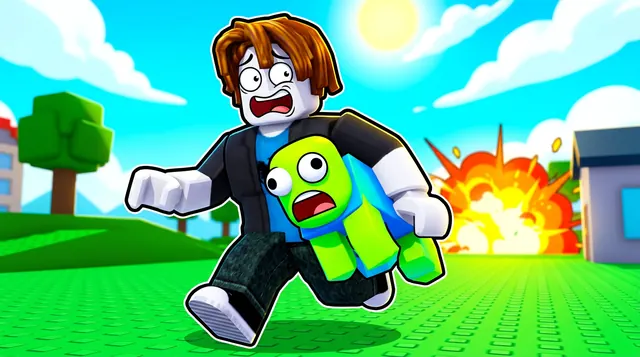
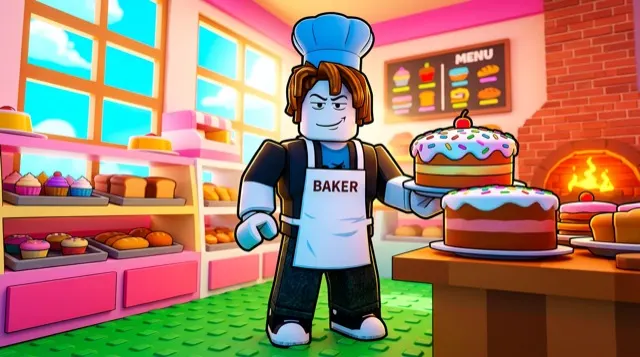
The first one was generated in BloxGFX from the example Steal a Brainrot prompt on this page. The other two were made for other Roblox games.

How to make a steal a brainrot thumbnail with AI
- 1Open the BloxGFX generator and pick the 16:9 thumbnail format.
- 2Describe your Steal a Brainrot scene — try a prompt like "absurd meme character running away with a stolen brainrot creature, shocked face, explosive bright colors, chaotic comic style".
- 3Optionally upload a reference image (your avatar, or a screenshot from Steal a Brainrot) to guide the AI.
- 4Generate, then refine with edit prompts until it pops at search-result size.
- 5Download the 1920×1080 PNG and upload it to your experience on the Creator Hub.
Tips for better results
- Go loud — exaggerated meme characters, shocked faces, and chaotic bright colors match the brainrot humor.
- A clear gag or reaction (someone stealing, someone shocked) gives the thumbnail an instant funny hook.
- Lead with emotion and action — a bold focal character and high contrast win the click.
Steal a Brainrot thumbnail prompt ideas
Paste one into the generator and tweak the details to match your video or update.
Heist
sneaky roblox character tiptoeing out of a base carrying a giant absurd meme creature, alarm lights flashing red, comic shocked faces
Rare brainrot
absurd glowing meme creature on a golden pedestal with spotlight beams, crowd of shocked roblox players, chaotic bright colours
Defending the base
roblox player blocking a doorway with laser walls while chaotic meme characters try to break in, explosive comic style
Steal a Brainrot thumbnail style guide
- Colour palette
- Loud, saturated primaries and neon — the chaos is the brand.
- Focal subject
- One absurd creature and one exaggerated reaction face.
- Avoid
- Subtlety. A calm, tasteful thumbnail looks out of place among this game's competitors.
FAQ
How do I make a Steal a Brainrot thumbnail?
Describe the meme scene in BloxGFX — the character, the gag, and the chaos — and it generates a bold 1920×1080 thumbnail in seconds.
Can I make it funny and over-the-top?
Yes — ask for exaggerated expressions, bright comic colors, and a clear gag. The more specific the joke, the stronger the click.
How do I make a Steal a Brainrot thumbnail stand out?
Lead with one clear gag — someone stealing, a shocked face, a chaotic reaction — and crank the comic colors. A single readable joke beats a busy scene.
Make yours in seconds
Built by Roblox devs, for Roblox devs. No Blender, no designer.
Try BloxGFX free