Blox Fruits Thumbnail Maker
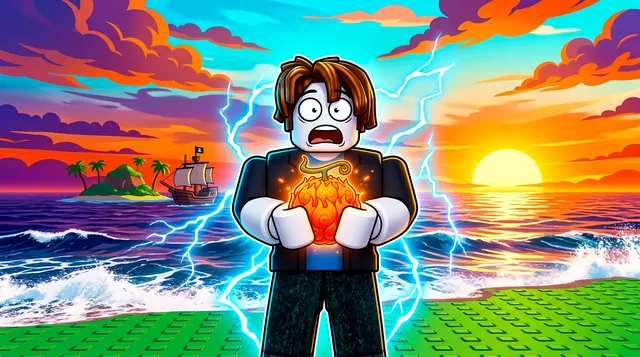
A Blox Fruits thumbnail usually shows a powerful character mid-battle — a glowing Devil Fruit, a legendary sword, or a Haki-charged punch against an ocean or island backdrop. BloxGFX generates that anime-pirate look from a text prompt in seconds: describe the fruit, the pose, and the sea, then download a click-ready 1920×1080 thumbnail. No Blender.
Updated · By the BloxGFX team — Roblox creators.
3 free credits to start · no credit card
Roblox thumbnails made with BloxGFX
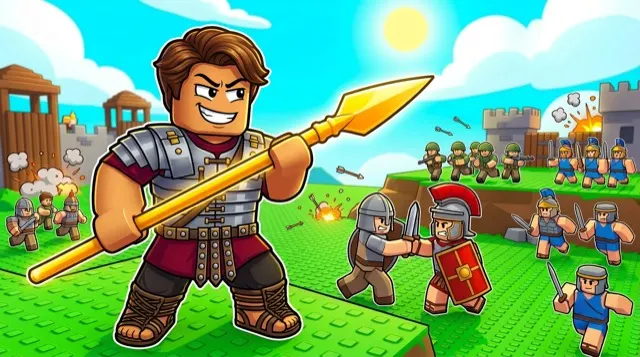
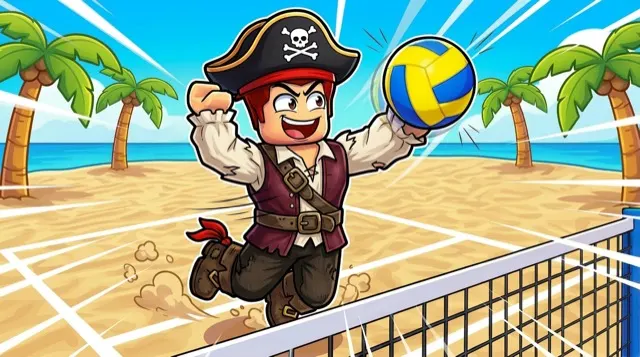
The first one was generated in BloxGFX from the example Blox Fruits prompt on this page. The other two were made for other Roblox games.
How to make a blox fruits thumbnail with AI
- 1Open the BloxGFX generator and pick the 16:9 thumbnail format.
- 2Describe your Blox Fruits scene — try a prompt like "anime pirate character holding a glowing flame Devil Fruit, dramatic ocean sunset, lightning Haki aura, shocked expression".
- 3Optionally upload a reference image (your avatar, or a screenshot from Blox Fruits) to guide the AI.
- 4Generate, then refine with edit prompts until it pops at search-result size.
- 5Download the 1920×1080 PNG and upload it to your experience on the Creator Hub.
Tips for better results
- Lean into the One Piece–style energy: glowing Devil Fruits, sword glints, and Haki auras read instantly as Blox Fruits.
- Make a bright fruit or fruit-power effect the focal point so players know exactly which update or drop the thumbnail is about.
- Lead with emotion and action — a bold focal character and high contrast win the click.
Blox Fruits thumbnail prompt ideas
Paste one into the generator and tweak the details to match your video or update.
New fruit showcase
anime pirate holding a glowing swirling Devil Fruit up to the camera, awakened power aura bursting behind, stormy sea, amazed face
Sea beast fight
giant sea beast rising from dark waves, small pirate ship firing cannons, character leaping with a sword, lightning in the sky
Raid / boss battle
pirate character clashing swords with a huge boss, sparks and shockwave between blades, burning island fortress behind
Blox Fruits thumbnail style guide
- Colour palette
- Deep ocean blues and sunset oranges, with the fruit or power effect in a saturated contrasting colour so it is the brightest thing in frame.
- Focal subject
- One fruit, sword or power effect — whatever the video or update is about — held close to the camera.
- Avoid
- Showing several fruits at once; at search-result size they blur into indistinct coloured blobs.
FAQ
How do I make a Blox Fruits thumbnail?
Describe the scene in BloxGFX — the Devil Fruit, character pose, and ocean or island setting — and the AI generates a finished 1920×1080 thumbnail in seconds. No Blender or GFX skills needed.
Can I show a specific Devil Fruit or sword?
Yes — name it in your prompt ("glowing flame fruit", "dark blade") and add a reference image to keep the look consistent across your update thumbnails.
What makes a Blox Fruits thumbnail get clicks?
A bright Devil Fruit or glowing sword as the focal point, a shocked or powerful pose, and an ocean or island backdrop — with high contrast so it still reads at search-result size.
Make yours in seconds
Built by Roblox devs, for Roblox devs. No Blender, no designer.
Try BloxGFX free