Adopt Me Thumbnail Maker
An Adopt Me thumbnail is all about cute pets — neon and mega pets, eggs, and pastel scenes that pop. BloxGFX generates that adorable, soft-colored look from a prompt in seconds: describe the pet, the setting, and the mood, then download a ready-to-upload 1920×1080 thumbnail that stands out in the games list.
Updated · By the BloxGFX team — Roblox creators.
3 free credits to start · no credit card
Roblox thumbnails made with BloxGFX
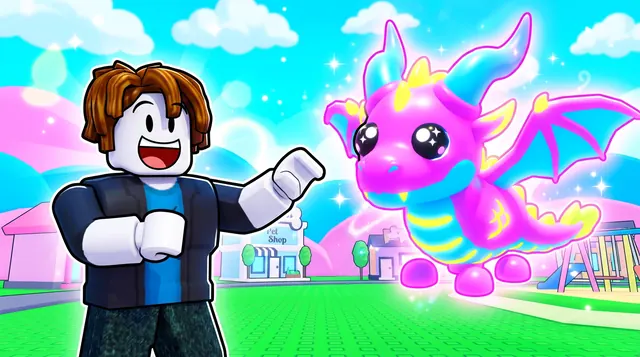
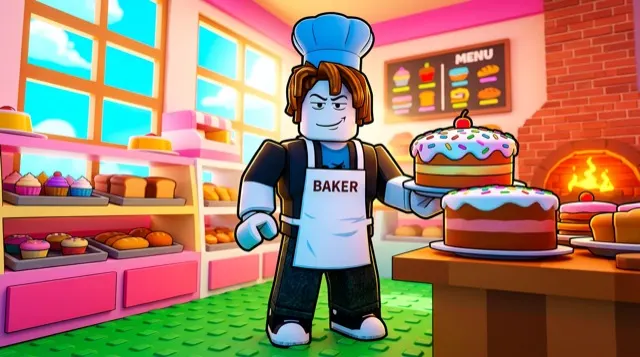
The first one was generated in BloxGFX from the example Adopt Me prompt on this page. The other two were made for other Roblox games.

How to make a adopt me thumbnail with AI
- 1Open the BloxGFX generator and pick the 16:9 thumbnail format.
- 2Describe your Adopt Me scene — try a prompt like "adorable glowing neon dragon pet, pastel pink and blue background, sparkles, cute big eyes, soft lighting".
- 3Optionally upload a reference image (your avatar, or a screenshot from Adopt Me) to guide the AI.
- 4Generate, then refine with edit prompts until it pops at search-result size.
- 5Download the 1920×1080 PNG and upload it to your experience on the Creator Hub.
Tips for better results
- Pets are the star — a single cute, glowing pet with big eyes reads as Adopt Me instantly.
- Soft pastel colors, sparkles, and a clean background keep the thumbnail cute and clickable for a younger audience.
- Lead with emotion and action — a bold focal character and high contrast win the click.
Adopt Me thumbnail prompt ideas
Paste one into the generator and tweak the details to match your video or update.
Egg hatch
glowing cracked pet egg with light bursting out and a cute baby pet peeking from inside, pastel background, sparkles
Neon pet reveal
glowing neon unicorn pet with bright aura and big cute eyes, pastel pink and purple background, magical sparkles
Trading
two roblox players holding up rare cute pets to each other, trade window glowing between them, excited faces, pastel colours
Adopt Me thumbnail style guide
- Colour palette
- Soft pastels — pinks, lilacs, mint and baby blue — with glow and sparkle accents on the pet.
- Focal subject
- A single hero pet with big eyes, large in frame and slightly off-centre.
- Avoid
- Dark or gritty lighting; it fights the cute, wholesome look players associate with the game.
FAQ
How do I make an Adopt Me thumbnail?
Describe the pet and scene in BloxGFX — the pet type, pastel colors, and mood — and it generates a finished 1920×1080 thumbnail in seconds. No design skills needed.
Can I feature a specific pet?
Yes — name the pet in your prompt ("neon unicorn", "mega griffin") and add a reference image so it matches the pet you're showing off or trading.
Should my Adopt Me thumbnail show one pet or many?
Usually one hero pet reads best — a single cute, glowing pet with big eyes is instantly recognizable. Add a couple more only when you're showing a trade or a collection.
Make yours in seconds
Built by Roblox devs, for Roblox devs. No Blender, no designer.
Try BloxGFX free