Arsenal Thumbnail Maker
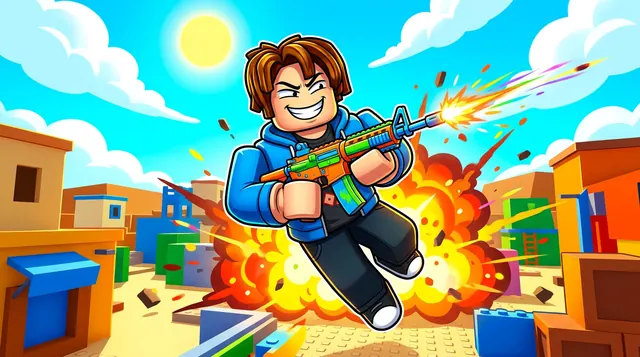
An Arsenal thumbnail is fast and colorful — characters mid-firefight with bold weapons, action poses, and a vibrant map. BloxGFX generates that energetic shooter look from a prompt in seconds: describe the character, the gun, and the action, then download a click-ready 1920×1080 thumbnail.
Updated · By the BloxGFX team — Roblox creators.
3 free credits to start · no credit card
Roblox thumbnails made with BloxGFX
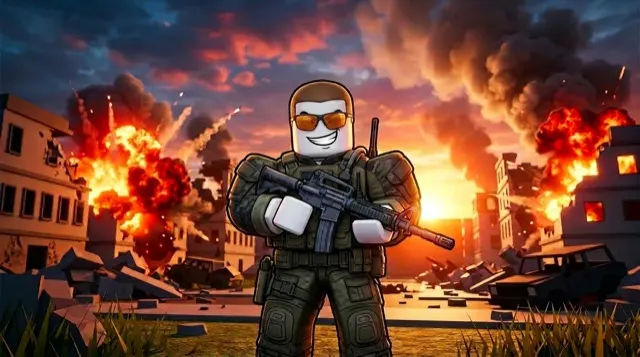
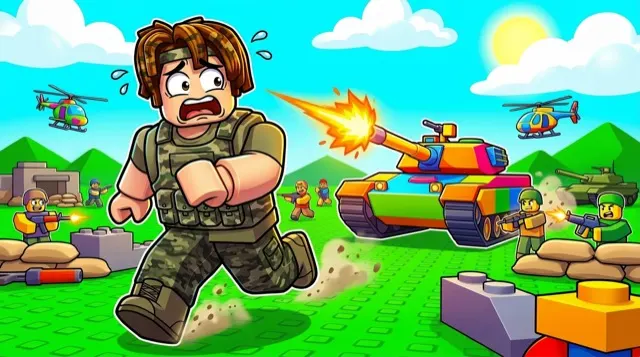
The first one was generated in BloxGFX from the example Arsenal prompt on this page. The other two were made for other Roblox games.
How to make a arsenal thumbnail with AI
- 1Open the BloxGFX generator and pick the 16:9 thumbnail format.
- 2Describe your Arsenal scene — try a prompt like "roblox character in an action pose firing a colorful gun, dynamic motion, vibrant map background, explosive energy".
- 3Optionally upload a reference image (your avatar, or a screenshot from Arsenal) to guide the AI.
- 4Generate, then refine with edit prompts until it pops at search-result size.
- 5Download the 1920×1080 PNG and upload it to your experience on the Creator Hub.
Tips for better results
- Action sells it — a character mid-firefight with a bold weapon and motion reads as Arsenal instantly.
- Bright, high-contrast colors and a clear focal character keep the fast-paced shooter energy.
- Lead with emotion and action — a bold focal character and high contrast win the click.
Arsenal thumbnail prompt ideas
Paste one into the generator and tweak the details to match your video or update.
Golden knife finish
roblox character striking a final pose with a shining golden knife, kill feed popping in the corner, colourful arena
Weapon swap chaos
roblox character mid-jump switching between several floating colourful weapons, motion trails, vibrant map
Funny skin
goofy costumed roblox character winning a fight with a silly weapon, opponents shocked, bright comic colours
Arsenal thumbnail style guide
- Colour palette
- Bright, toy-like colours and clean maps — the game's look is playful, not gritty.
- Focal subject
- One character and one weapon in an energetic pose.
- Avoid
- Realistic military styling; it reads as a different game.
FAQ
How do I make an Arsenal thumbnail?
Describe the action in BloxGFX — the character, weapon, and map — and it generates a finished 1920×1080 thumbnail in seconds.
Can I feature a specific skin or weapon?
Yes — name it in your prompt and add a reference image so the skin or gun matches what you're showing.
What makes an Arsenal thumbnail pop?
A character mid-firefight with a bold, colorful weapon, dynamic motion, and high-contrast colors — energy and action read as Arsenal instantly.
Make yours in seconds
Built by Roblox devs, for Roblox devs. No Blender, no designer.
Try BloxGFX free