How to Make a Roblox Game Pass Icon
A Roblox game pass icon displays at 150×150 pixels in your store — design it on a 512×512 canvas and let Roblox downscale it so it stays sharp. To make one, pick a single bold object that represents the perk (a crown for VIP, a lightning bolt for 2× speed), render it glossy on a clean background, and keep it readable at small sizes. With BloxGFX you describe the perk and the AI generates a store-ready icon in seconds.
Updated · By the BloxGFX team — Roblox creators.
3 free credits to start · no credit card
Game pass icons made with BloxGFX
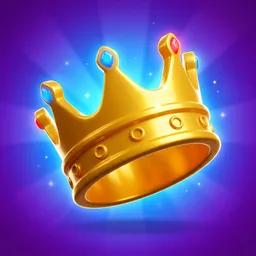

How to make a game pass icon with AI
- 1Decide the perk and the single object that represents it (crown, boombox, lightning bolt, gift box).
- 2Open the BloxGFX generator and choose the game pass icon format.
- 3Describe the concept — "glossy gold VIP crown", "2x speed lightning bolt" — not a full scene.
- 4Generate the glossy 3D-style store icon, then edit colors to match your game.
- 5Check it reads at 150×150 — game pass icons are small in the store list.
- 6Download and upload it when you create the game pass on the Creator Hub.
Tips for better results
- One bold object beats a busy scene — the icon is tiny in the store.
- Keep a consistent style across all your passes so the store looks polished.
- Glossy, brightly-lit objects on a clean background sell the perk at a glance.
FAQ
What size is a Roblox game pass icon?
It displays at 150×150 pixels. Design at 512×512 and let Roblox downscale it so the icon stays crisp. BloxGFX outputs at the right ratio automatically.
How do I make a game pass icon?
Pick one object that represents the perk, render it glossy on a clean background, and keep it readable when small. With BloxGFX you describe the perk and the AI generates a store-ready icon in seconds.
Do I need a paid plan to generate game pass icons?
Yes — game pass and badge generation are on any paid plan (from $4.99/mo). The free credits cover 16:9 thumbnails.
Does it cost Robux to make a game pass?
Roblox charges Robux to create the game pass itself; generating the icon art with BloxGFX uses your BloxGFX credits, which are separate from Robux.
Make yours in seconds
Built by Roblox devs, for Roblox devs. No Blender, no designer.
Try BloxGFX free