How to Make Roblox GFX Without Blender
You can make Roblox GFX without Blender by using an AI generator: instead of importing your rig, posing it, lighting a scene, and waiting on a render, you describe the scene in plain English and the AI produces a finished render in seconds. Upload a reference image of your avatar to keep your character consistent, then edit the result with follow-up prompts and download it ready to post.
Updated · By the BloxGFX team — Roblox creators.
3 free credits to start · no credit card
GFX made without Blender
Each of these was generated from a text prompt — no Blender, no rendering.
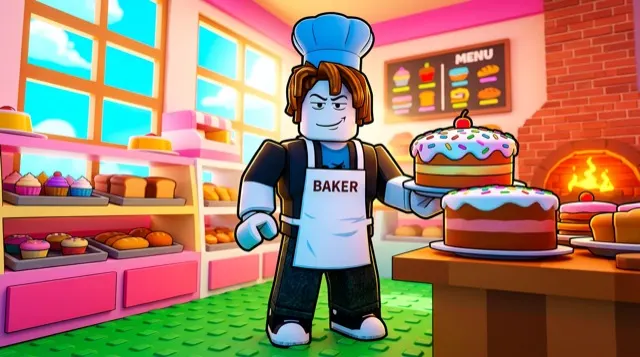
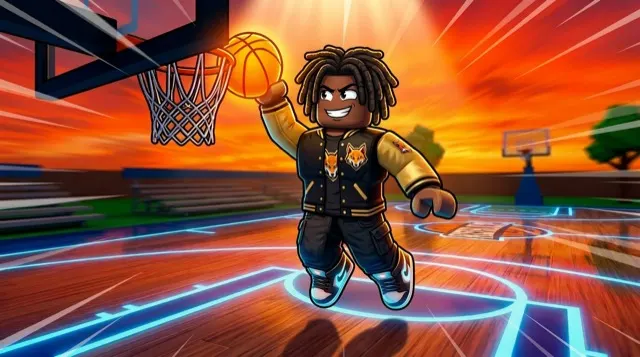
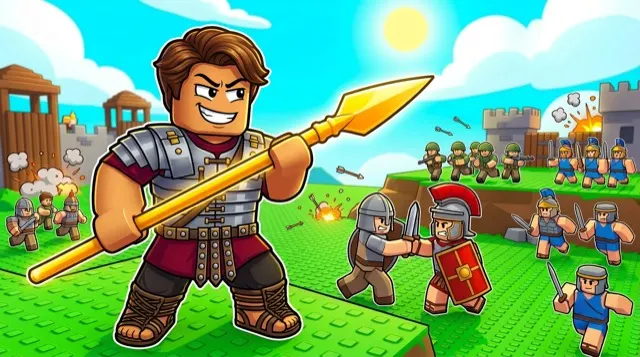
How to make a gfx without blender with AI
- 1Open the BloxGFX generator — no Blender, Studio rig, or render setup needed.
- 2Pick your format (16:9 for thumbnails, 1:1 for icons and PFPs).
- 3Describe the scene: characters, pose, action, setting, lighting, and mood.
- 4Upload a reference image of your avatar so the GFX looks like your character.
- 5Generate, then refine with edit prompts ("darker sky", "add an explosion").
- 6Download the finished render — no rigging, no waiting on a render queue.
Tips for better results
- Blender gives total control but costs hours per render; AI trades a little control for seconds per result — great for iterating on thumbnails.
- Describe camera and lighting ("low angle, dramatic rim light") to get a render-quality look without setting up a 3D scene.
- Keep a reference image of your avatar handy and reuse it so every GFX matches your character.
FAQ
Can I make Roblox GFX without Blender?
Yes. An AI generator like BloxGFX makes finished Roblox GFX from a text prompt in seconds — no Blender, rigging, lighting, or rendering. You just describe the scene and download the result.
Is AI GFX as good as Blender renders?
For thumbnails, icons, and social posts, AI gets you a polished result in seconds versus hours in Blender. Blender still wins for fully custom 3D scenes, but most creators don't need that for a thumbnail.
Do I need to know how to rig or animate?
No. There's no rig, no posing, and no render settings. You describe what you want and edit the image with plain-English prompts.
Is it free?
New accounts get 3 free credits (one-time, no monthly refill) for 16:9 thumbnails. No credit card needed. Paid plans (from $4.99/mo) add higher resolution, all formats, and more credits.
Make yours in seconds
Built by Roblox devs, for Roblox devs. No Blender, no designer.
Try BloxGFX free