Shindo Life Thumbnail Maker
A Shindo Life thumbnail is anime-ninja energy — characters unleashing jutsu, glowing modes, and dramatic battle auras in a stylized world. BloxGFX generates that Naruto-inspired look from a prompt in seconds: describe the ninja, the power, and the clash, then download a click-ready 1920×1080 thumbnail.
Updated · By the BloxGFX team — Roblox creators.
3 free credits to start · no credit card
Roblox thumbnails made with BloxGFX
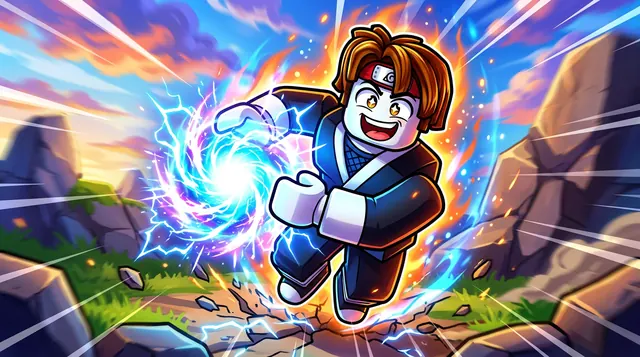
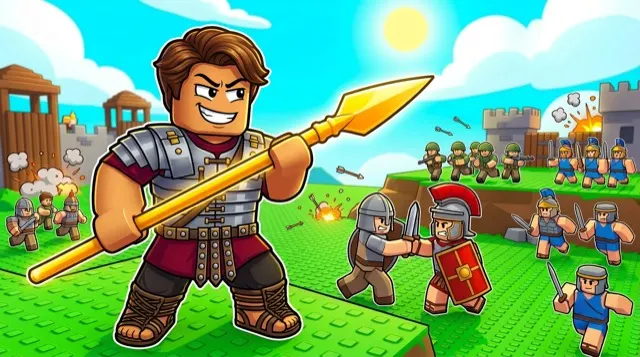
The first one was generated in BloxGFX from the example Shindo Life prompt on this page. The other two were made for other Roblox games.

How to make a shindo life thumbnail with AI
- 1Open the BloxGFX generator and pick the 16:9 thumbnail format.
- 2Describe your Shindo Life scene — try a prompt like "anime ninja character charging a glowing energy jutsu, dramatic battle aura, intense pose, stylized sky, electric effects".
- 3Optionally upload a reference image (your avatar, or a screenshot from Shindo Life) to guide the AI.
- 4Generate, then refine with edit prompts until it pops at search-result size.
- 5Download the 1920×1080 PNG and upload it to your experience on the Creator Hub.
Tips for better results
- Jutsu and auras are the signature — glowing powers and a charged battle pose read as Shindo Life instantly.
- Dramatic effects, motion, and a strong focal ninja sell the anime-combat energy.
- Lead with emotion and action — a bold focal character and high contrast win the click.
Shindo Life thumbnail prompt ideas
Paste one into the generator and tweak the details to match your video or update.
New bloodline
anime ninja with glowing eyes unleashing a swirling elemental technique, energy aura, dramatic sky, intense pose
Mode transformation
roblox ninja transforming with a burst of energy, cracked ground, wind and particles swirling, glowing markings
Village battle
two anime ninjas clashing mid-air above a village, elemental attacks colliding, sparks and shockwave
Shindo Life thumbnail style guide
- Colour palette
- Anime battle colours — one strong elemental colour per technique against a dramatic sky.
- Focal subject
- The technique or transformation effect, big and glowing.
- Avoid
- Mixing several elements in one frame; one clear power reads best.
FAQ
How do I make a Shindo Life thumbnail?
Describe the battle in BloxGFX — the ninja, the jutsu, and the aura — and it generates a finished 1920×1080 thumbnail in seconds.
Can I feature a specific mode or bloodline?
Yes — name it in your prompt and add a reference image so the mode's colors and effects match what you're showcasing.
How do I show a mode or bloodline in a Shindo Life thumbnail?
Center a charged battle pose with the mode's signature glowing aura and jutsu effects, and match the colors to that bloodline so it's instantly recognizable.
Make yours in seconds
Built by Roblox devs, for Roblox devs. No Blender, no designer.
Try BloxGFX free